IAQ and QAD QMS Process Flow - Canceling an NCR
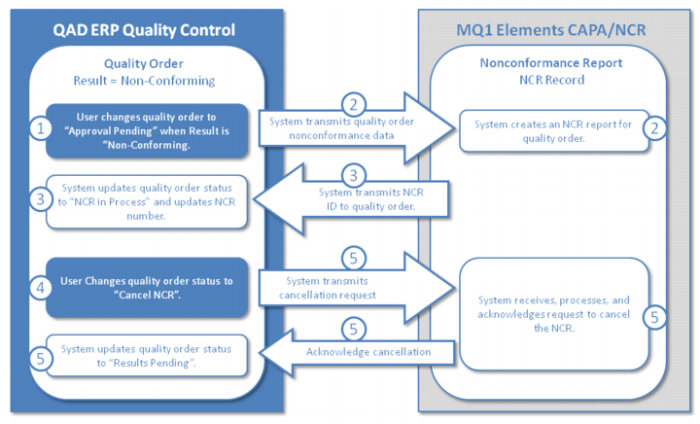
The following graphic and steps describe the process flow when IAQ is integrated with QAD QMS for NCR and the NCR is canceled:
1 The process is initiated when the user changes the quality order status to “Approval Pending” and the quality result is “Non-conforming.”
2 The system transmits the non-conformance data for the quality order to QAD QMS and then QAD QMS creates an NCR report for the quality order.
3 The system transmits the NCR ID to the quality order and updates the quality order status to NCR In Process.
4 The user changes the quality order to “Cancel NCR.”
5 The system transmits the cancellation request to QAD QMS. The system receives, processes, and acknowledges the request and then updates the quality order status to “Results Pending.”
Scenario for NCR & Material Disposition