Browse Grid Vertical and Horizontal Splitters
With non-component browses, you can split the browse view grid both vertically and horizontally, which gives you a way to keep some part of the view stationary while you scroll through another part. You can create as many vertical and horizontal splits as you need.
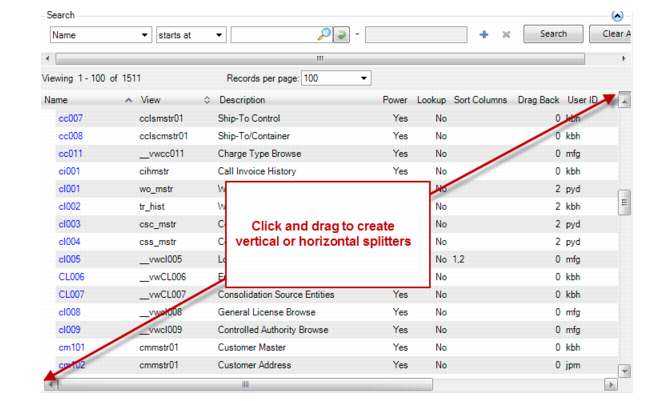
To create a splitter, click and drag on the upper right or lower left locations on the browse grid as shown:
Creating Browse Grid Splitters
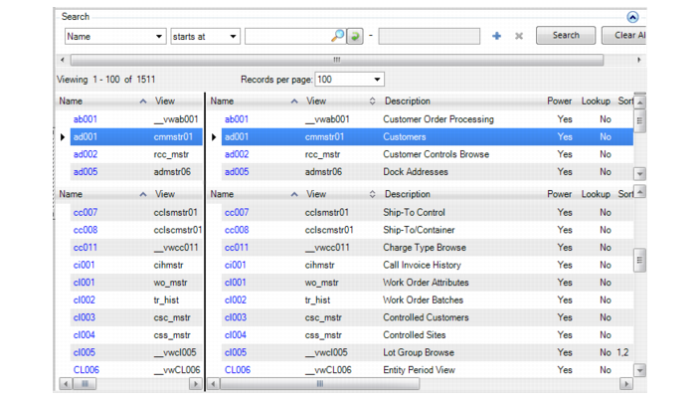
Vertical and horizontal split views display as follows:
Browse Grid Vertical and Horizontal Splitters