Kanban Containers and Labels
Two programs let you define reference records for containers and labels that can be associated with kanban master records.
Defining Kanban Containers
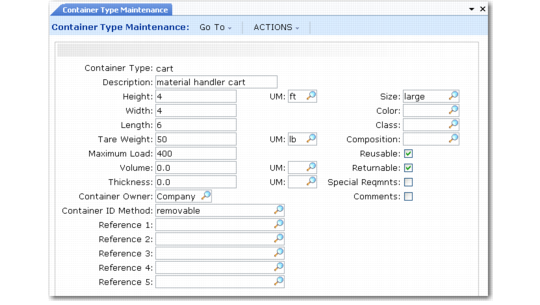
Use Container Type Maintenance (17.1.9) to define containers used for storing and transporting kanban-controlled items.
You can identify a variety of characteristics of a container, including several dimension and weight parameters, the owner—your own company, your supplier, or your customer—and the method used to identify kanban information. Additionally, five user-defined reference fields provide more options for setting up container types.
Many of the fields can be validated against generalized codes, so you can define you own conventions for how each field is used. See
Generalized Codes in Kanban.
Associate a default container type with a kanban item in Kanban Item Master Maintenance (17.1.1). You can update the default value for each kanban loop in Kanban Master Maintenance (17.1.4).
Most of the fields in this program are currently for reference only.
Container Type Maintenance (17.1.9)
Defining Kanban Labels
Use Kanban Label Definition Maint (17.3.18) to specify the kinds of label information that you want to associate with a kanban loop. For example, you might use this to determine the data you want an external supplier to provide on their shipping labels.
Associate a label definition record with a loop in Kanban Master Maintenance.
Note: Label definitions are currently not associated with any system processing. They are for reference only.
The program consists of three frames.
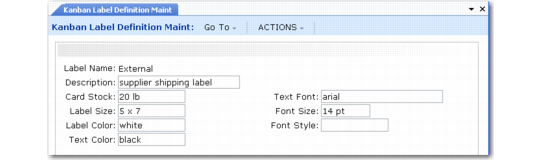
In the first frame, enter identifying data and specify label characteristics. The only required field is Label Name. All fields default to blank; no field values are validated.
Kanban Label Definition Maint (17.3.18)
In the Source Type Data Fields frames, select the kinds of source-related data to be associated with supplier, process, and inventory loops that use this label definition. All fields default to No.
Kanban Label Definition Maint, Source Type Data
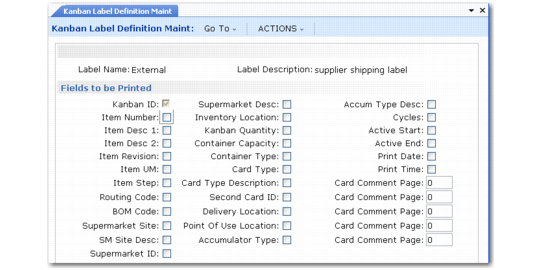
In the Fields to be Printed frame, select the kinds of card data that are associated with this label definition. With the exception of Kanban ID, all fields default to No. Kanban ID is set to Yes and cannot be changed.
Kanban Label Definition Maint, Fields to be Printed