View Kanban Transactions
You may want to review kanban transaction information, but not know the specific transaction number. The following programs let you start with either the item number or the kanban card ID and use the system to search for transaction details:
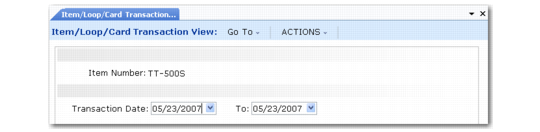
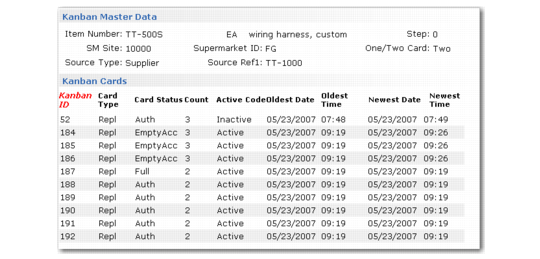
• Item/Loop/Card Transaction View (17.6.8) lets you display kanban and inventory transaction data for individual cards starting with a specific item. After you enter the item number and, optionally, a transaction date range, all kanban master records associated with the item display. You can select a kanban record to display every kanban card that exists for that kanban. You can view kanban transactions for individual cards and any inventory transaction records that exist for the kanban transaction.
• Item/Loop Transactions View (17.6.9) lets you display kanban and inventory transaction data for kanban loops starting with a specific item. After you enter the item number and, optionally, a transaction date range, all kanban master records associated with the item display. You can select a kanban record to display every transaction history record that exists for that kanban, with the most recent transaction first. Then, select a transaction to drill down on the transaction detail.
• Kanban Card Transactions View (17.6.10) displays all kanban transactions associated with a specific kanban card. You can select a transaction to view the transaction details and optionally display inventory transactions created by the kanban transaction when they are available.
Item/Loop/Card Transaction View (17.6.8)
Item/Loop/Card Transaction View, Kanban Master
Item/Loop/Card Transaction View, Kanban Cards