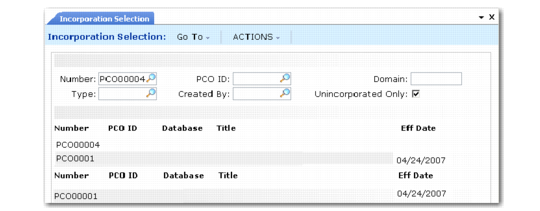
Incorporation Selection
Use Incorporation Selection (1.9.7.4) to set PCO effective dates. Released and distributed PCOs display in order beginning with the PCO entered in the first frame. Enter criteria such as Type and Created By to show only PCOs matching those criteria.
Incorporation Selection (1.9.7.4)
Unincorporated Only
Enter Yes to view only PCOs that are distributed but not yet incorporated. Enter No to view all distributed PCOs.
If different PCOs change item master data for the same item, the system (and standard practice) requires them to be incorporated in revision level sequence. The system displays an error if you set PCO effective dates out of sequence or give more than one PCO the same effective date.
If a PCO has a mandatory date, a warning displays if the effective date is not on or before this mandatory date.