Lot Control Workflow
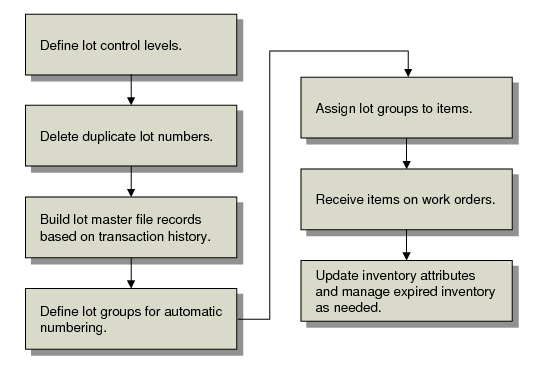
This shows a typical workflow for setting up and managing lots.
Lot Control Work Flow
To implement lot control, define defaults in Regulatory Attributes Control for purchase orders, work orders, and repetitive. Then delete any existing duplicate lot numbers using Lot Master Delete/Archive (1.22.23). Use Lot Master Build (1.22.22) to create lot master records for all lots referenced in transaction history.
Then define the lot groups needed to generate automatic numbers using Lot Group Maintenance (1.22.13). When the groups have been established, associate them with the appropriate items using Item Inventory Data Maintenance (1.4.5) or Item Master Maintenance (1.4.1).
When items are received on work orders, purchase orders, or repetitive orders, the system generates lot numbers automatically. You can update inventory attributes and manage expired inventory as needed using Multi‑Lot Inventory Update (1.22.19) or Inventory Detail Maintenance (3.1.1).