Building Lot Master Records
You must run Lot Master Build (1.22.22) whenever:
• Lot Control Level is changed from 0 to either 1 or 2.
• Archived records are loaded back into the inventory transaction history table.
Lot Master Build creates lot master records based on inventory transaction history. These records represent a historical list of all lot and serial numbers used in the system. Whenever you assign a new lot or serial number and Lot Control Level is 1 or 2, the system automatically updates the lot master.
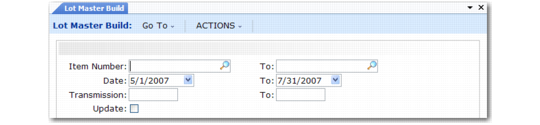
Lot Master Build (1.22.22)
You can enter any combination of item number, date, and transaction ID ranges. Before updating the database, set Update to No to generate a listing of changes that will be made. Review the listing to verify that it is correct. Then rerun the program with Update set to Yes.