Modifying Lot Master Records
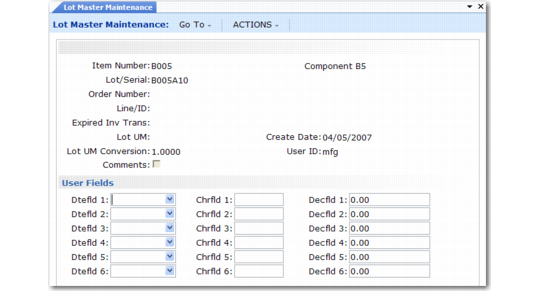
Use Lot Master Maintenance (1.22.1) to manually add, modify, or delete lot master records. Adding records is not recommended, since the records created with this program are not associated with an order, limiting the traceability.
This function is typically used to add additional data. Many user-defined fields are provided to support custom reporting requirements.
Lot Master Maintenance (1.22.1)
Specify an item number and lot/serial number. When you click Next, the system displays the order number and line or ID that created the lot or serial number. The date the record was created and the ID of the user creating the record also display.
You can update the following fields:
Expired Inv Trans
An inventory transaction type allowed for executing transactions on expired inventory for this item and lot number.
Lot UM
An alternate unit of measure for this specific lot. This field is for reference only.
Lot UM Conversion
A factor for converting the Lot UM to the item unit of measure. This field is for reference only.