Cost Set Elements
You can use Cost Element Maintenance (30.17.1) to set up separate cost elements for logistics charges in the GL cost sets assigned to sites that receive purchased items. The cost elements should be in the material or overhead cost category.
Note: PC inventory reports are by cost categories rather than cost elements.
You create a cost element for each logistics charge that you want to accrue. For example, you could create separate cost elements for domestic freight and overseas freight, or create only one cost element for freight.
For more information on field descriptions and other information on Cost Element Maintenance, see
QAD Costing User Guide.
You create a template Periodic Costing cost set so that these extra settings are defined in the template for all Periodic Costing cost sets. The system automatically creates these elements.
You can use PC Item Cost Delete/Archive (30.5.22) to archive and delete PC category cost and element cost data as required, based on specified ranges of item, site, and period; see page 99.
Important: You should not have multiple elements for the labor, burden and subcontract elements when you enter costs in PC Work Center Rate Maintenance (30.5.3.1) or when you enter Periodic Costing adjustment transactions. When your Periodic Costing cost group has multiple elements for the labor, burden, and subcontract categories; Periodic Costing cannot properly calculate and absorb the labor/burden. Periodic Costing does display a warning indicating this; however, since only one element is allowed for these categories, you should set up the elements correctly, and if not, correct the multiple elements before you run the calculation.
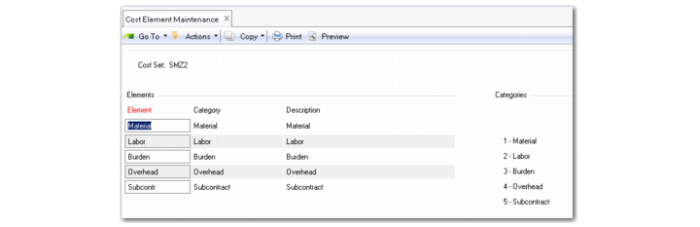 Cost Element Maintenance (30.17.1)