PC Regional Reports
Reports provided through the PC Regional Reports Menu (30.5.19) can satisfy legal reporting requirements specified for some countries:
• Inventory and SF Movement Report
• Inventory and WIP Balance Report
Inventory and SF Movement Report
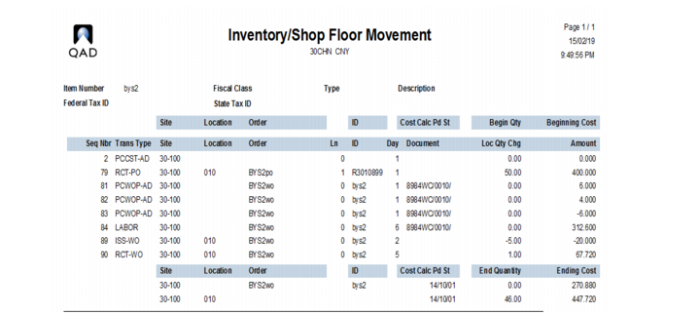
Inventory and SF Movement Report (30.5.19.1) reports movement of inventory and production. It displays all movements of both inventory and production transactions. Inventory and WIP balance per item and site display per period. Information regarding costing per transaction, document number, and type of transaction also display.
Note: You can also use Inventory and SF Movement Report (30.5.19.4) in the character environment. This is useful when the reports are too large for the Windows client to handle.
You can view how WO close allocates remaining WIP cost to co-/by-products in the Inventory and SF Movement Report. After you close a WO for co-/by-products, the system:
• Creates the co-/by-product WO close transaction
• Sets the WO close Periodic Costing amount to 0 for the base item
• Displays the WO close data in Inventory and SF Movement report
• Sets the Periodic Costing amount equal to the GL inventory account amount
Also, for FIFO environments, the Inventory and SF Movement Report displays the total unconsumed quantity of the period for the site. The report displays the beginning and ending balance ordered by ascending period.
Inventory and Shop Floor Movement Report (30.5.19.1)
Inventory and WIP Balance Report
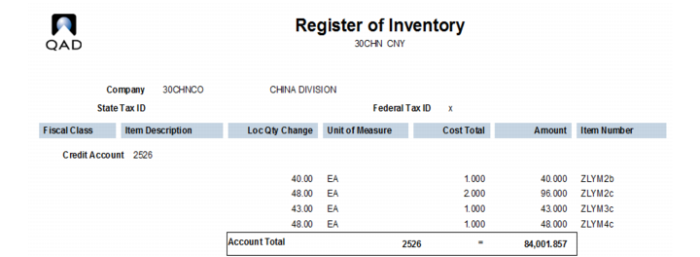
Inventory and WIP Balance Report (30.5.19.2) reports inventory by item and account. It displays the inventory by account and contains information regarding company and items such as fiscal class, unit of measure, company address, company fiscal code, and others. Not only the inventory balance but also WIP balance is displayed in this report.
Inventory and WIP Balance Report (30.5.19.2)