Using Utilities to Verify and Balance Data
Programs in the Periodic Costing Utilities submenu (30.5.7.25) provide numerous verification and balance reports. Use the reports for reconciliation purposes:
|
30.5.7.25
|
Periodic Costing Utilities Menu...
|
|
|
30.5.7.25.1
|
PC Inv Verification
|
pcverfy.p
|
|
30.5.7.25.2
|
PC WIP Calc Verification
|
pcwipverfy.p
|
|
30.5.7.25.3
|
PC Journal Validation
|
pcglvefy.p
|
|
30.5.7.25.13
|
PC Inventory Account Balance Report
|
pcglbal.p
|
|
30.5.7.25.14
|
PC WIP Balance Report
|
pcwipbal.p
|
|
30.5.7.25.15
|
Labor Burden Reconcile Report
|
pclbdnrp.p
|
PC Inv Verification
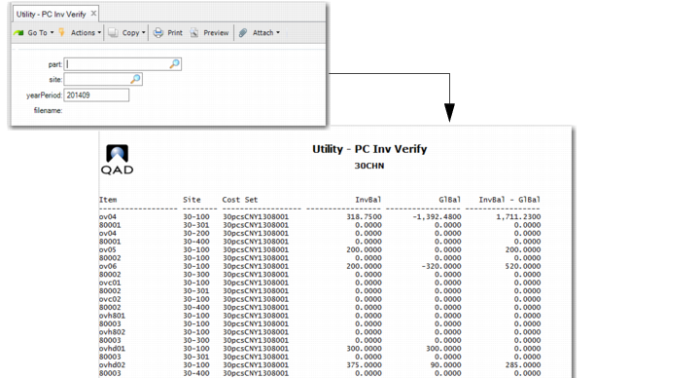
Use PC Inv Verification (30.5.7.25.1) to verify that the operational inventory transactions add up to the same amount as the value posted to GL.
You can specify a part number, site, year period, and a filename for the output file that holds inventory balance by item, site, location from the operational transactions compared to the Periodic Costing calculated inventory balance.
PC Inv Verification (30.5.7.25.1)
PC WIP Calc Verification
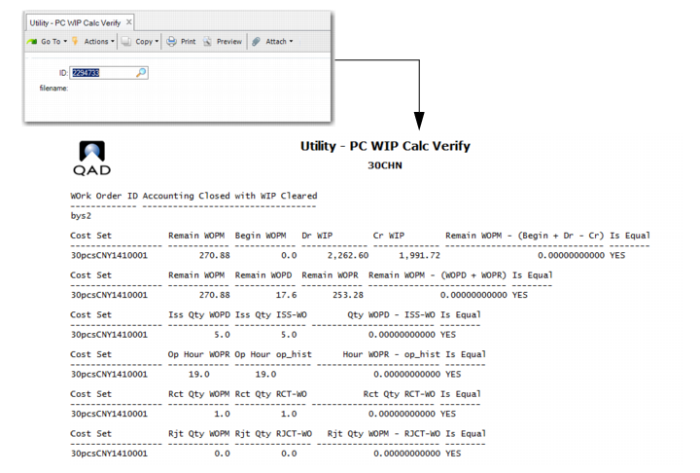
Use PC WIP Calc Verification (30.5.7.25.2) to verify that the values added to and subtracted from WIP by the operational transactions add up to the same amount as the value posted to GL.
You specify a WO order ID; then, verify work order WIP data. The report lets you review WIP value added to and subtracted from the work order and for each component and operation.
PC WIP Calc Verification (30.5.7.25.2)
PC Journal Validation
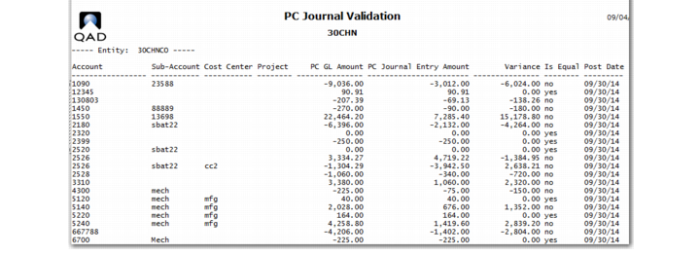
Use PC Journal Validation (30.5.7.25.3) to verify that all data from Periodic Costing is posted correctly to GL. You can review and validate Periodic Costing journal postings. The report has no input criteria. The report runs for the earliest open Periodic Costing period. Once you run the report, it displays the entity at the top of the report, then data for the account, sub-account, cost center, project, Periodic Costing GL amount, Periodic Costing Journal entry amount, variance amount, whether the variance is equal or not, and the post data.
PC Journal Validation (30.5.7.25.3)
PC Inventory Account Balance Report
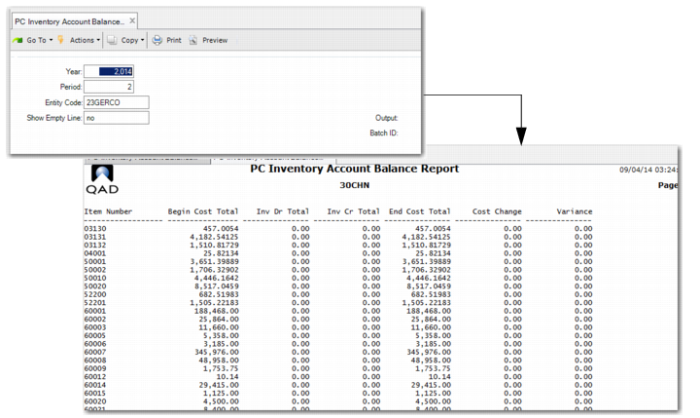
Use PC Inventory Account Balance Report (30.5.7.25.13) to see inventory movement by items. You can view account balance data. You specify the year, period, entity code, and whether the report displays empty lines.
The report displays the item number, beginning cost total, inventory debit and credit totals, ending cost total, cost change, and the variance.
PC Inventory Account Balance Report (30.5.7.25.13)
PC WIP Balance Report
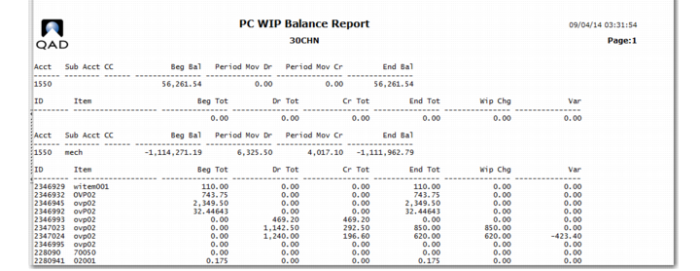
Use PC WIP Balance Report (30.5.7.25.14) to view WIP balance data. You can specify the debit account, year, period, entity code, and whether the report includes zero amount work orders.
The report displays the account and sub-account, cost center, beginning balance, period mov(ement) debit and credit, and ending balance at the top portion. You can see the ID; item; beginning, debit/credit, and ending totals; the WIP charge; and the variance in the report.
PC WIP Balance Report (30.5.7.25.14)
Labor Burden Reconcile Report
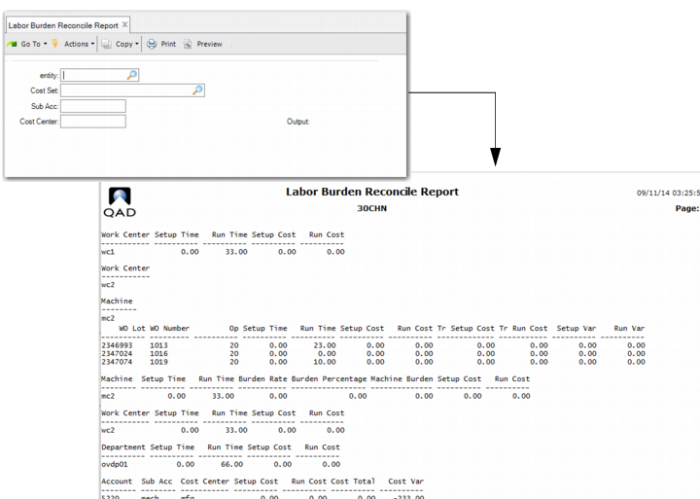
Use Labor Burden Reconcile Report (30.5.7.25.15) this report to view labor burden data so that you can reconcile discrepancies. You must set the entity and cost set, unless only a single entity exists; but you can optionally specify the sub-account and cost center.
Labor Burden Reconcile Report (30.5.7.25.15)