Create New Process
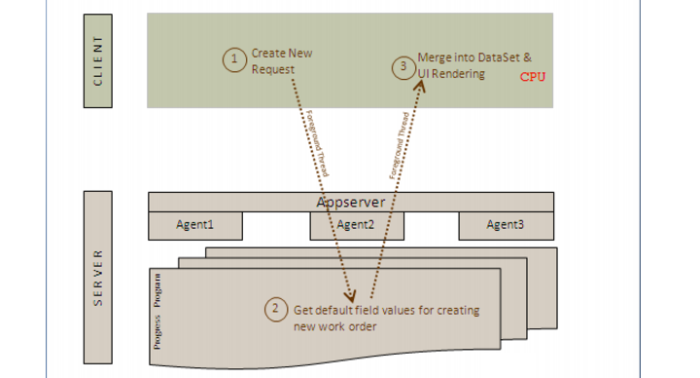
When the user creates a new production order:
1 The client calls the program that runs on the Progress appserver.
2 The program makes a copy of the new production order, discards the production order created, but returns a copy.
3 The client loads the copy of the new production order into memory which, in turn, loads it on the screen.
Create New Process