QAD 2017 Enterprise Edition
>
User Guides
>
Planning and Scheduling Workbenches Administration
>
System Load and Performance
>
System Load
System Load
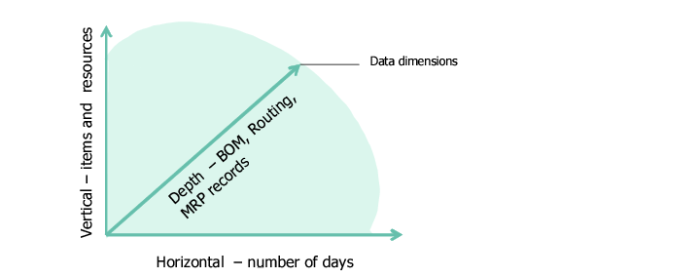
System load comes in the following three dimensions:
• Item and resources
• Scheduling horizon days
• The number of MRP details; that is, production order records, component records (BOM), routing records, and so on
System Load
Load on the client and server increases as any of dimensions increase, impacting system response time and, hence, performance.
Search criteria and user preference settings impact the three dimensions, too, as shown in the following table, which presents the performance impact by order of impact.
Performance Impact by Order of Impact
Impact
(1=Highest) | Area | Impact |
1 | Search criteria | This is the most significant impact, affecting the number of item/resources and therefore, indirectly the number of production orders, components, and routings. |
2 | Scheduling horizon | The horizon affects the number of production orders, components, and routings. After search criteria, this is the most significant parameter that affects performance. |
3 | Other user preferences | |