QAD 2017 Enterprise Edition
>
User Guides
>
Planning and Scheduling Workbenches Administration
>
Personalization Architecture
>
Specifying Additional Columns
Specifying Additional Columns
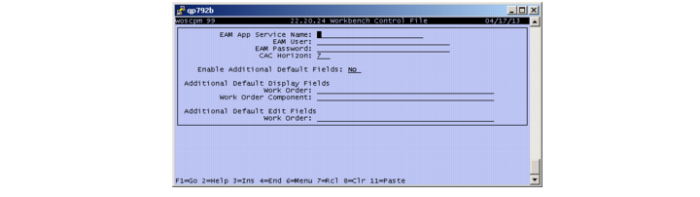
You can use the following Additional Default Display fields in the Workbench Control (22.20.24):
Work Order
This is a comma-separated list of fields to add to the work order grid default column display list. This can include any field that is defined in the wo_mstr temp-table which is defined in the include files woscwo.i and woscwox.i.
Work Order Component
This is a comma-separated list of fields to add to the work order component detail grid default column display list. This can include any field that is defined in the wod_det temp-table which is defined in the include files woscwod.i and woscwodx.i.
You can use the following Additional Default Edit fields in the Workbench Control (22.20.24):
Work Order
This is a comma-separated list of fields that are both displayed and editable. When you want to specify the order in which fields entered here are displayed, enter them in the desired order in the Additional Default Display Fields / Work Order field.
Note: Editable fields for the work order component table are not supported at this time.
Workbench Control, New Fields