QAD 2017 Enterprise Edition
>
User Guides
>
Planning and Scheduling Workbenches
>
Overview
>
Common Features
>
Columns
Columns
You can add hidden columns—a .NET UI feature—and select the additional column that you want to display in the workbenches.
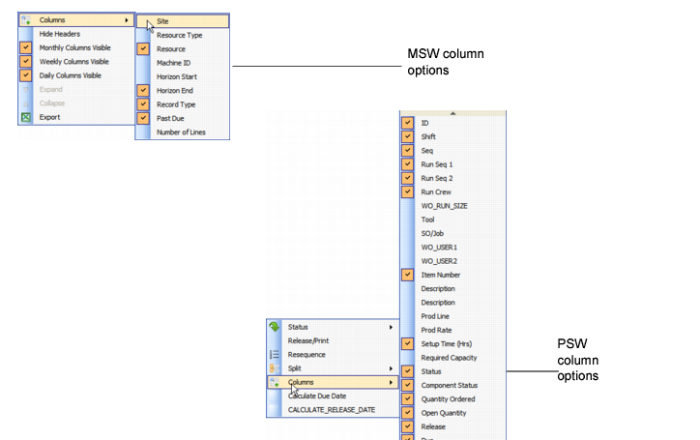
To do this, while you are in the Schedule Grid or the Sequence Grid, right-click, then select the Columns option. The following figure depicts options for both workbenches.
You can add columns to the PSW Sequence Grid as well as add or modify column header labels, using QAD EE standard label maintenance programs.
Column Options