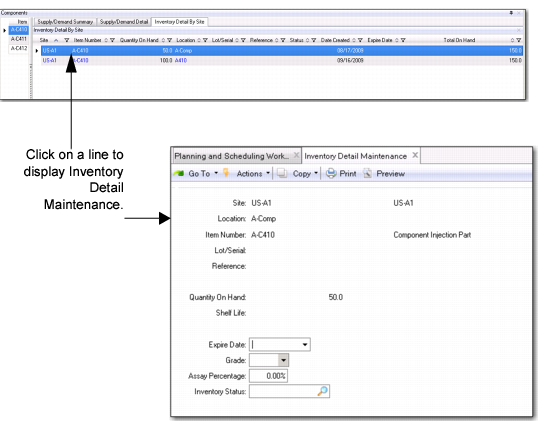
Inventory Details by Site
Use the data in the Inventory Details sub-tab to drill into component inventory detail records to determine options when dealing with component shortages.
When you select a record within the Inventory Details by Site Panel, and click on the record, the system launches the QAD EE Inventory Detail Maintenance program.
Inventory Details by Site
Site
The site associated with the inventory.
Item Number
The item number.
Quantity on Hand
The system organizes inventory detail data by item, site, location, lot/serial, then reference. For each unique combination of these values, the system tracks the quantity on hand and other inventory attributes, such as expire date and status.
Location
The ID of the physical location where inventory is stored.
Lot/Serial
The lot/serial number for the item.
Reference
The lot reference number.
Status
The inventory status code associated with the inventory quantity. Inventory status codes determine whether inventory balances are available for allocation, are considered by MRP, or are allowed to go negative. Status codes also restrict particular transactions at specific locations.
Date Created
The date the inventory detail record was created.
Expire Date
The date the inventory expires.
Total on Hand
The total on hand quantity of this item in inventory.