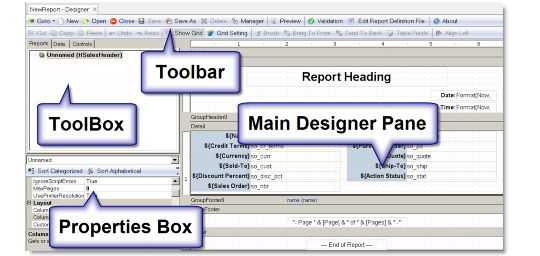
Report Designer Work Areas
The main Report Designer window has the following components:
• Toolbar: Provides shortcuts to the most common design functions.
• Toolbox: Provides tools for creating report fields.
• Main Designer Pane: This is the main working area of the Designer. It shows the report’s sections and fields and allows you to change the report definition.
• Properties Window: Allows you to edit properties for the objects that are selected in the Designer.
Report Designer Workspace