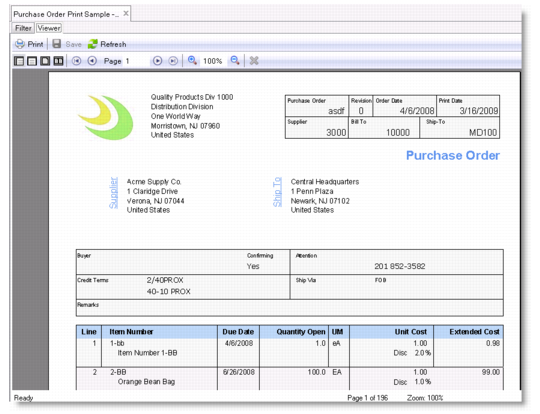
Button | Name | Description |
 | Print | Send the report to a printer. |
 | Save | Save the report to a specified location. |
 | Refresh | Regenerate the report using your last setting. |
 | Actual Size | Display the report in its actual size. |
 | Page Width | Fit the report to the width of the Report Viewer window. |
 | One Page | Display the report in a one-page view in the Report Viewer window. |
 | Two Pages | Display the report in a side-by-side two-page view in the Report Viewer window. |
 | First Page | Jump to the first page. |
 | Previous Page | Go to the previous page. |
 | Next Page | Go to the next page. |
 | Last Page | Jump to the last page. |
 | Zoom In | Magnify the report preview size. |
 | Size | Specify the exact report preview size. |
 | Zoom Out | Decrease the report review size. |
 | Cancel Rendering | Cancel rendering the report. |