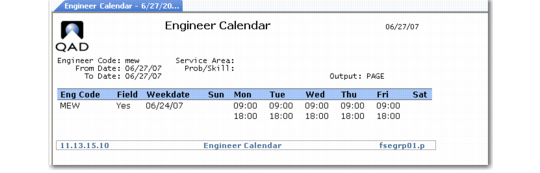
Engineer Calendar
Engineer Calendar (11.13.15.10) displays the hours an engineer is scheduled for work during a week regardless of call assignment. If you maintain multiple schedules, including engineers on call and those with custom schedules, use this report to view who is working when.
Engineer Calendar (11.13.15.10)
The pound sign (#) displays next to scheduled times that occur on holidays. If a day’s only schedule is an on-call schedule, a plus sign (+) follows the scheduled times.
When Multiple Time Zones is active, the system interprets scheduled times as relative to the engineer or a call’s end user, depending on the setting of Field Engineer for the engineer. This setting displays in the column labeled Field.
Note: Because on-call schedules are set up by area, only on-call schedules that match the area report criteria display. If Service Area is blank, the system uses the engineer’s area to find an applicable on-call schedule. If an engineer is on call for more than one area, the other schedule information does not appear on this report.