QAD 2017 Enterprise Edition
>
User Guides
>
Service/Support Management
>
Depot Orders
>
Material Order Shipments
Material Order Shipments
Use Material Order Shipments (11.11.6) to enable the optional automatic consumption of items that are shipped. This ability means that you do not have to explicitly consume MO parts in CAR. Consumption takes place against open calls only; if the call is complete or closed, no consumption will occur, even though the MO can be created and shipped.
Note: Before using Material Order Shipment to consume items automatically, you must enable auto-consumption in Material Order Control. For details, see
Material Order Control.
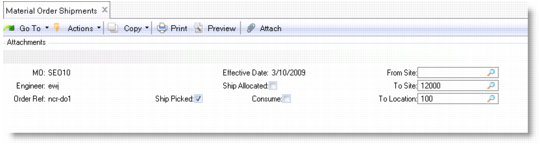
Material Order Shipments Header Frame (11.11.6)
Consume
By default this field is set to Yes to indicate that the selected items should be consumed automatically when shipped. This defaults from the setting of Material Order Control.
Click Next to display the line detail frame to control the consumption of line items.
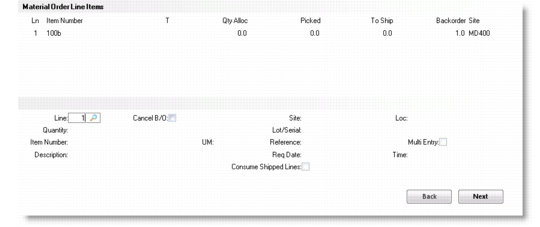
Line Detail Frame
Consume Shipped
This field defaults from the Consume field on the header. Enter Yes to cause this line to be consumed.
Consumption Report Output
This field lets you specify the output option for the Consumption report.
The MO consumption report displays the details of the items consumed and any errors encountered during the consumption process. Any lines that remain unconsumed due to errors must be corrected and consumed within CAR. Transaction history is created for consumed lines.