QAD 2017 Enterprise Edition
>
User Guides
>
Sales
>
Sales Quotations
>
Printing Sales Quotes
Printing Sales Quotes
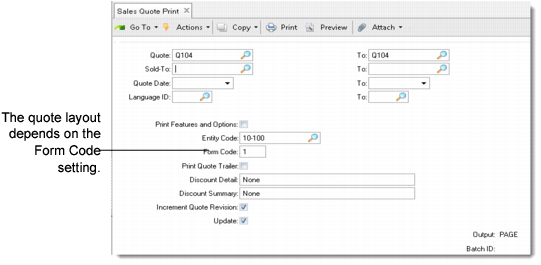
Use Sales Quote Print (7.12.3) to print single or multiple quotes by number, customer, or quote date. Set Print Features and Options to Yes to list detailed data for configured items.
Sales Quote Print (7.12.3)
After printing the selected quotes, the system prompts you to verify that they printed correctly. This updates the Print Quote field in Sales Quote Maintenance to prevent unwanted duplication. To reprint a quote that has successfully printed before, manually reset the field to Yes.
The display of tax information in the trailer is set up in Global Tax Management Control (29.24) using the fields Display Detail on Reports and Display Taxable/Non-Taxable on Trailer. See
QAD Global Tax Management User Guide for information on setting up GTM.
Note: The country of the sold-to customer determines the numeric and date formats on the printed quote.