QAD 2017 Enterprise Edition
>
User Guides
>
Sales
>
Sales Quotations
>
Deleting and Archiving Sales Quotes
Deleting and Archiving Sales Quotes
The system does not automatically delete historical information at period or year end. You can delete this information as often as you want.
Most companies keep old quotes available for some time—you can use them with Sales Quote Copy from Quote to generate new quotes. When you delete them, be aware that Expired Quote Delete/Archive (7.12.23) deletes all quotes that have passed the specified expiration date, regardless of whether they have been released to sales orders.
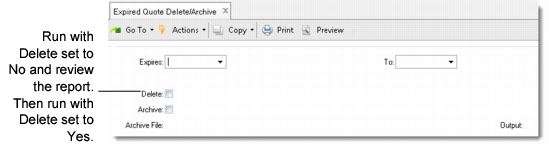
Expired Quote Delete/Archive (7.12.23)
When Delete is Yes, historical information satisfying the selection criteria is deleted from the database. When Archive is Yes, deleted data is also copied to an ASCII file that can be reloaded using Archive File Reload (36.16.5). Otherwise, deleted data cannot be recovered.