QAD 2017 Enterprise Edition
>
User Guides
>
Sales
>
Shipment Performance
>
Deleting and Archiving Historical Data
Deleting and Archiving Historical Data
The system does not automatically delete historical information at period or year end. You can delete this information as often as you want.
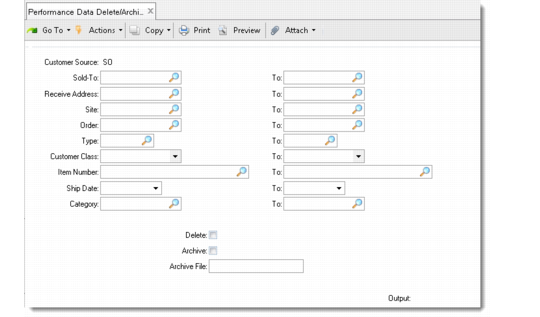
Performance Data Delete/Archive (7.9.17.23) is similar to other delete/archive functions in the system. The archive file name is automatically generated. The prefix is sh, followed by the year, month, and day.
Example: A file archived July 4, 2007, is named sh020707.hst. No other identifying information is attached to the archive file.
Performance Data Delete/Archive (7.9.17.23)