Using Proof of Delivery
After you finish the setup for shipment tracking, you can use the Proof of Delivery field on quotes or orders to indicate whether POD is required. Only the shipment status for the orders that require POD can be tracked using the POD. Once you have got the receipt notification from the customer, you can record the actual quantity received and receipt date of this shipment.
POD on Sales Quotes
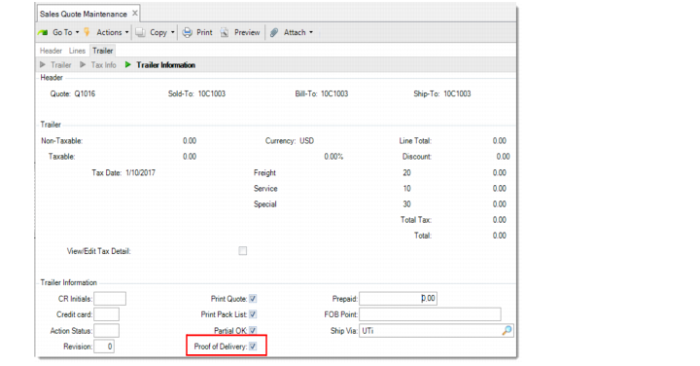
Sales Quote Maintenance
Proof of Delivery
Available only when the POD functionality is enabled in Container/Shipper Control. Specify whether Proof of Delivery (POD) is required for the shipments of the orders that are generated from this quote.
When you create a sales quote, the default value of this field depends on the Proof of Delivery field set for the specified ship-to customer in Ship-To/POD Controls Maintenance. If there is no associated record in Ship-To/POD Controls Maintenance, the default value depends on the Proof of Delivery Orders field in Container/Shipper Control.
The value of this field is copied to new quotes by Sales Quote Copy from Quote and Sales Quote Copy from Order.