Applying Self-Billing to Customer Scheduled Orders
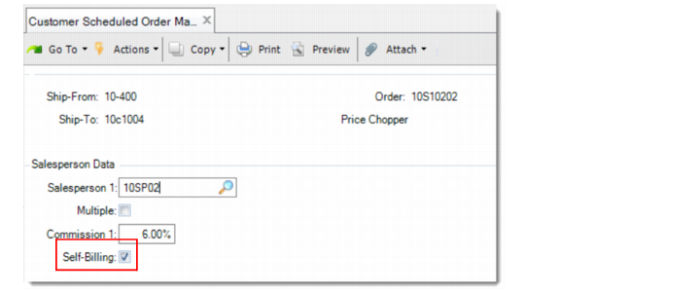
When you enter a customer scheduled order in Customers Scheduled Order Maintenance, you can specify whether to apply self-billing to the order by using the Self-Billing field in the Salesperson Data frame.
Self-Billing Field in Customer Scheduled Order
Self-Billing
Specify whether self-billing is allowed for this order. This field is available only when the Advanced Self-Billing functionality is enabled in Advanced Self-Billing Control and the Self-Billing field for the specified customer is set to Yes in Customer Data Maintenance.
When selected, the customer can initiate invoicing process after the order is shipped. You, as a supplier, cannot post invoice for this order by Invoice Post and Print. Use Self-Bill Invoice Post to post the invoices.
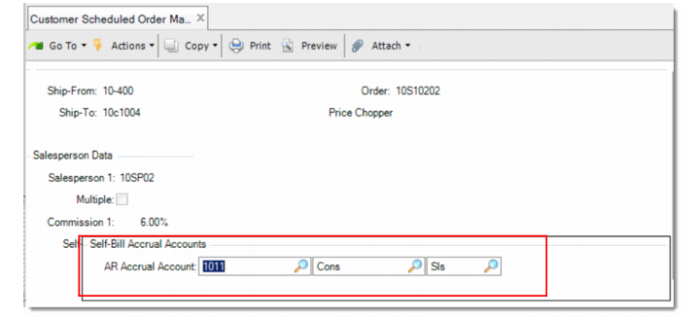
Self-Bill Accrual Accounts Frame in Customer Scheduled Order Maintenance
AR Accrual Account
Specify the AR accrual account, sub-account, and cost center for the self-billing order. This account must be a valid, active account of type Standard. The accrual is created when shipments are confirmed and reversed when self-billing invoices are posted.
This field defaults from Self-Bill Customer Data Maintenance.
Note: For consignment self-billing sales orders, the accrual is generated when inventory usage is recorded and reversed when the associated self-billing invoices are posted.