Deleting and Archiving Pickup Sheets
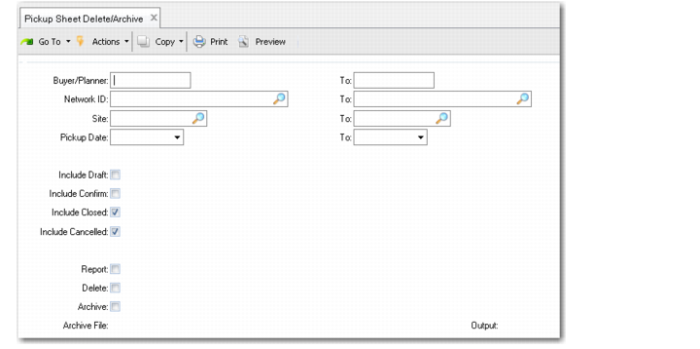
Use Pickup Sheet Delete/Archive (5.5.3.22) to delete pickup sheet records from the system once online history is no longer needed.
The system does not automatically delete historical information at period or year-end. You can delete this information as frequently or infrequently as you prefer. How often you should run this function depends on how long you need to retain historical information in your database. Most companies keep historical data for at least one year or longer, depending on availability of disk space.
You should run this function twice. First, run it with Delete set to No and review the report. Then, run it with Delete set to Yes.
When you set Delete to Yes, records that satisfy the selection criteria are deleted from the database. If you set Archive to Yes, deleted data are copied to an ASCII file that can be reloaded using Archive File Reload. Otherwise, deleted data cannot be recovered.
When Archive is Yes, the system stores selected data in a file named vdbYYMMDD.hst where vdb is the record type and YYMMDD is the file creation date. If this file does not exist in the system, it is created. If it does exist because you already ran delete/archive the same day, the system adds the additional archived records to the end of the file.
Note: Logical fields let you select records based on pickup sheet status of Draft and Confirmed. However, Closed status is not yet implemented. Choosing this option has no affect on record selection.
Pickup Sheet Delete/Archive (5.5.3.22)