Comparing Schedule Releases
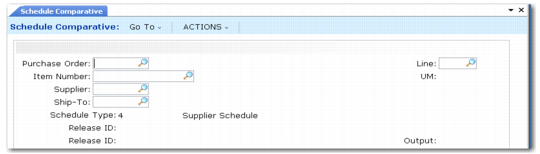
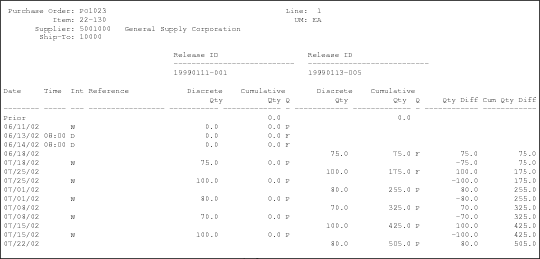
Use Schedule Comparative (5.5.3.15) to compare any two releases of the same schedule that reside in the system.
Schedule Comparative (5.5.3.15)
Schedule Comparative Output
Use Schedule Type to select which schedule type to compare. You must specify two specific release IDs for the schedule releases you are comparing.
Note: When the Supplier Shipping Schedules module is inactive, you cannot compare type 5 or type 6 schedules.
Comparing the Current Release with the Prior Release
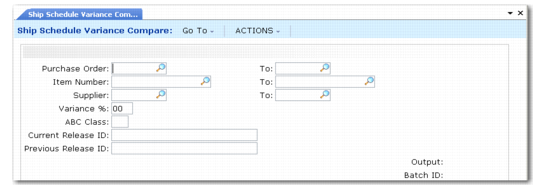
Use Ship Schedule Variance Compare (5.5.7.13) to compare the current type 6 shipping schedule release with the prior shipping schedule release.
Ship Schedule Variance Compare (5.5.7.13)
Supplier Schedule Comparative Extract
Use Schedule Comparative Extract to view multiple supplier schedule releases simultaneously and analyze supplier schedule release fluctuations. You can use the data to compare schedule releases for all items on supplier scheduled orders, including:
• Standard supplier schedule releases (type 4)
• Supplier shipping schedule releases (type 6)
• Supplier planning schedule releases (type 5)
The system displays the data in:
• Daily buckets for shipping schedules (type 6)
• Weekly buckets for planning schedule (type 5)
Type 5 Supplier Planning Schedules
For the type 5 supplier planning schedules, the system displays comparative data in weekly quantities, with Monday dates. When processing planning schedules, the system places all requirements in weekly intervals; so, the system sums daily requirements into a weekly quantity and breaks down monthly requirements into weekly quantities. This reduces the conflict of comparing quantities representing different lengths of time.
Type 6 Supplier Shipping Schedules
The system displays type 6 supplier shipping comparative data in daily quantities. When processing shipping schedules, the system places all requirements into daily intervals; therefore, the system does not include any weekly or monthly requirements in the shipping schedule.
Also, for type 5 schedules, the Include Planning Schedules and Include Shipping Schedules lets you select the type of schedule. For example, when planning schedules arrive weekly and shipping schedules arrive daily, you do not need to report planning data throughout the week since it does not change. In this case, you can set Include Planning Schedules to No.