Set System Access
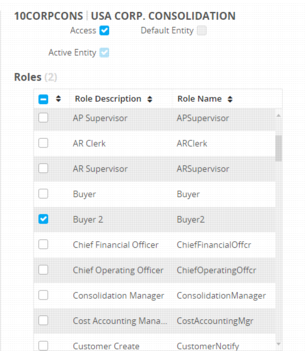
The System tree is a hierarchical view of all domains, entities, and sites within Channel Islands. To the left of each item is a circular status indicator that displays the status of the Access check box in the right-hand panel, located above the Roles list. A solid green circle indicates that the Access check box is selected and the user has access to that area of Channel Islands and to all items lower in the tree. A white circle with a gray border indicates that the user has no access to the associated item, nor to items lower in the tree. A half-green circle indicates that the user has access to some but not all of the areas of Channel Islands lower in the tree.
Sites are the lowest level of the hierarchy and can only be a solid green circle, meaning full access, or a solid white circle with a gray border, meaning no access. System, domains, and entities can be all green, all white, or half-green circles because their child elements can be a mix of access and no access.
Access is assigned in a top-down manner, with automatic inheritance for child items. When you grant access to a parent element, all children of that element are granted access. You can remove the access for items lower in the tree by clearing the Access check box for those child items one by one. If you clear the Access check box of a parent element, no children of that element can have access. You cannot select the Access check box of a child element when a parent element has the Access check box cleared.
In
User Access, the user has access to Entity 10CORPCONS and to all sites in 10USACO except the first one, !mfg. Because the user does not have access to the !mfg site, the circle next to the site’s parents, Entity 10USACO, Domain 10USA, and the System, are half green, indicating the user has access to some but not all of the system’s elements.
Roles Grid