Using Serial Range Extension
You can use Serial Range Extension (13.14.21) to do either of the following:
• Import serial IDs from external sources.
• Customize a serial ID range to include a custom segment in the NRM value to satisfy specific logistics requirements.
To import serial IDs, follow these steps:
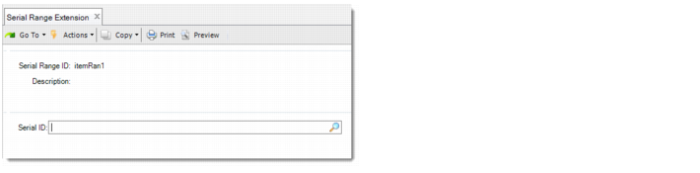
1 Specify the serial range ID.
Note: The system validates the serial range ID that you enter against Number Range Maintenance. Make sure that Internal is not selected for it in Number Range Maintenance and that the target dataset is serial_id.
2 Define the imported serial ID within the range.
Importing Serial IDs
You can remove imported serial IDs as long as they have not been used. Also, you can delete the serial range, as long as no serial IDs in the list have been used and the range itself has not been used in Serial Range ID Maintenance. When you delete an unused serial range, the system removes all serial IDs in the range.
To customize a serial range to include a custom segment in the NRM value, follow these steps:
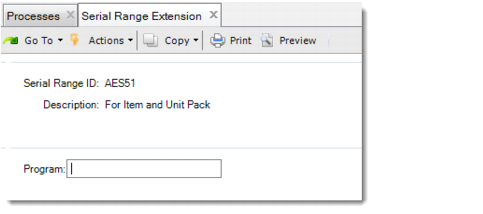
1 Specify the serial Range ID.
Note: The system validates the serial range ID you enter against Number Range Maintenance. Make sure that it is marked as Internal in Number Range Maintenance and that the target dataset is serial_id.
2 In the Program field, enter the custom program name.
Customizing a Serial ID Range
When a serial ID is required for a specific serial ID range, the system first checks whether the serial ID range is defined in Serial Range Extension.
• If not, the system generates the serial ID according to the type values defined in Number Range Maintenance.
• If yes and the serial ID range is external, the system uses an imported serial ID.
• If yes and the serial ID range is internal, the system generates a value according to the definition in NRM first. Then the system calls the custom program to create a custom value. Finally, the system concatenates the NRM value and the custom value as the serial ID.