DO Unloading
After the DO pre-shipper/shipper is confirmed, DO goods are shipped to the In-Transit site. When vehicles arrive at the receiving site, material handlers unload the DO goods from the vehicles. Using DO Unload (12.9.15), you can let the system identify which master packs or loose serialized items have been unloaded from the truck. Non-serialized loose inventory cannot be unloaded.
Multiple users can use this function at the same time.
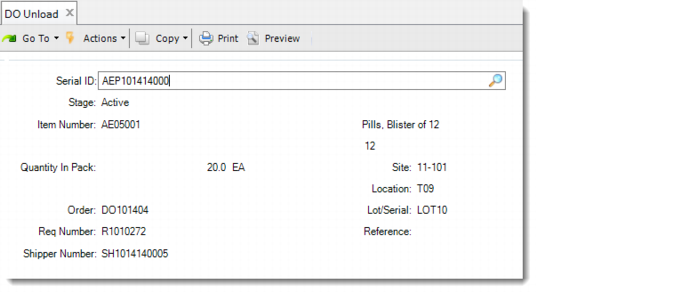
DO Unload (12.9.15)
Serial ID
Enter the serial ID of a master pack or loose item to unload from the truck.
After you enter the serial ID of a master pack or loose serialized item to unload from the truck, you can see the following information displayed:
• The stage of the serial ID
• The item and its description, quantity in pack, and UM if the serial ID is linked with a single item
• Site and location
• Lot/serial and reference if the serial ID is linked with a single lot
• DO request number if the serial ID is linked with a single DO request
• DO shipper number
After the serial ID is unloaded, if you enter it again in the serial ID field, the system prompts you to reverse the unloading. If you respond with Yes, the unloading is reversed.