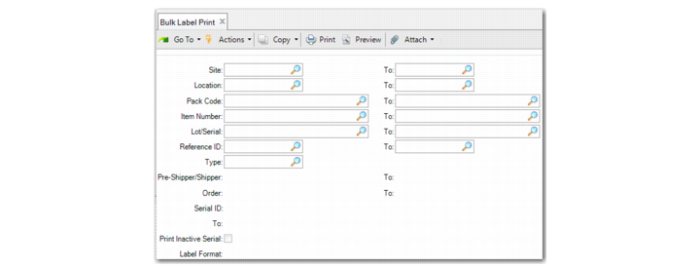
Bulk Label Print
Use Bulk Label Print (3.3.3) to print a group of labels for serial-controlled packs or items. The system prints the latest serial information. You can select serial IDs to print by range of site, location, pack code, item number, lot/serial, reference, order, and pre-shipper/shipper.
Bulk Label Print (3.3.3)
Note: Other fields, such as item, lot/serial and reference, that are commonly used in QAD EE programs are not described here; only fields unique within Serialization or that require data explicitly for Serialization functions are described.
Site/To
Enter a site range for which the goods are placed or leave blank.
Location/To
Enter a location range for which the goods are placed or leave blank.
Pack Code/To
Enter a range of pack codes for this function to consider.
Type
Enter the order type (PO or SO) for this function to consider. When you specify the type, you can enter the order.
Order/To
Specify the range of order numbers.
Pre-Shipper/Shipper/To
Enter a range of pre-shippers or shippers for this function to consider or leave blank to consider all pre-shippers or shippers.
Serial ID/To
Enter a range of serial IDs to print.
Print Inactive Serial
Specify Yes to print labels for inactive serial IDs.