QAD 2017 Enterprise Edition
>
User Guides
>
System Administration
>
System Interface
>
Modifying Messages
Modifying Messages
The system has three kinds of messages:
• Validation messages stored in the data dictionary. These display when the contents of the field do not match its specifications.
• Application messages for standard Progress programs stored in the database.
• Application messages for component-based programs stored in external resource files.
Note: Numbered Progress error messages sometimes display when a Progress instruction fails. Most of these messages are handled by the system, and a system message is substituted, so this should occur rarely.
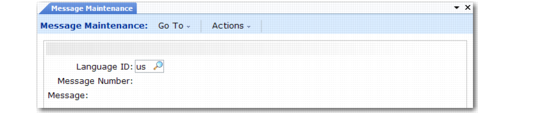
You can modify standard messages in Message Maintenance (36.4.6.1). One reason for changing messages is multiple language requirements. If a message seems unclear to some end users, an administrator can clarify its meaning. You can also add your own messages for custom code.
Message Maintenance (36.4.6.1)
Changing messages can create the same version control problems that occur when menus are changed. Be careful to use message numbers not likely to be used in a later product version. Messages in the ranges 9000–9999 and 90000–99999 are reserved for customer use.