QAD 2017 Enterprise Edition
>
User Guides
>
Warehousing
>
Algorithms
>
Simulation
>
Container Move Simulation
Container Move Simulation
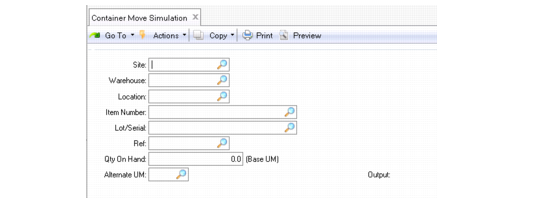
Use Container Move Simulation (4.6.19) to test your CM type algorithms without actually modifying the inventory records in your database. The system displays or reports suitable stage, truck, and dock locations, including empty locations, locations with the least goods, and locations that already contain stock for an SO shipper or DO ship-to code as if the simulation had been carried out as a real assignment.
Container Move Simulation
Location
Enter the location for the container move simulation.
Quantity On Hand
When defining the fields for the container move simulation, enter the quantity of the inventory on hand for the simulation in the base UM for the item.
Alternate UM
When defining the fields for the container move simulation, enter the alternate unit of measure for the quantity on hand.
Note: The quantity you entered in the Quantity On Hand field is the number of items in Base UM, and not the number of, for example, pallets, if this is the Alternate UM.