Consignment Receipt
If you plan to use Supplier Consignment Inventory with your warehouse system, you must link the consignment transaction types with internal routings in Internal Routing Assignment Maintenance (4.2.10) and with algorithms in Algorithm Assignment Maintenance (4.6.9).
The consignment transaction types are:
CN-RCT. This transaction records a purchase order receipt of consigned inventory.
INSP-CN. Use this transaction to route consigned inventory (received with the CN-RCT transaction) to inspection.
BACK-CN. Use this transaction to move consigned inventory to the main storage area after inspection.
FAIL-CN. Use this transaction to move consigned inventory to the reject area when the inspection fails.
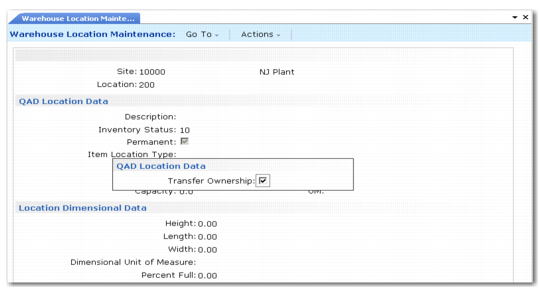
In addition, use the Transfer Ownership field in Warehouse Location Maintenance (4.3.13) and Mass Location Maintenance (4.3.21) to indicate whether inventory received into the location retains its consigned status or receipt initiates a transfer of ownership.
Warehouse Location Maintenance (4.3.13), Transfer Ownership Field