QAD 2017 Enterprise Edition
>
User Guides
>
Warehousing
>
Order Management
>
Using the .NET UI to View Order Data
Using the .NET UI to View Order Data
You can use the following browses and browse collections in the .NET UI to monitor and view order data:
• Inbound Order Warehouse Browse (4.13.19)
Lets you review all inbound orders pending to be received.
• Manage Inbound ASN Browse Collection
Lets you review ASNs sent from suppliers.
• Manage Work Orders Browse Collection
Lets you review work orders releases to the shop floor for production.
• Manage Work Centers Browse Collection
Lets you review work centers and inventory levels, linked to work orders released to the shop floor for production.
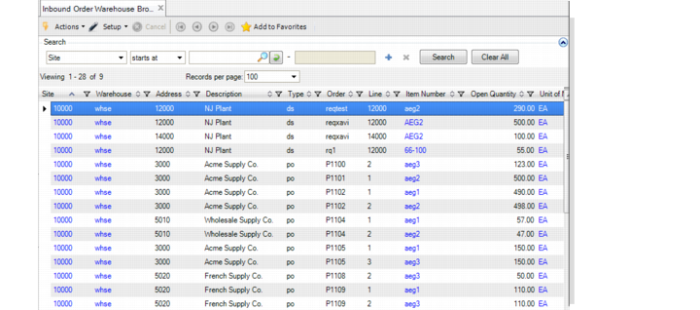
Inbound Order Warehouse Browse
You can use Inbound Order Warehouse Browse to review all open inbound orders. The system shows in a single browse all order types: purchase and distribution orders, sales order returns, and RMAs. This browse makes it easy to plan your receipt operations in a warehouse, regardless of the type of receipt.
Inbound Order Warehouse Browse
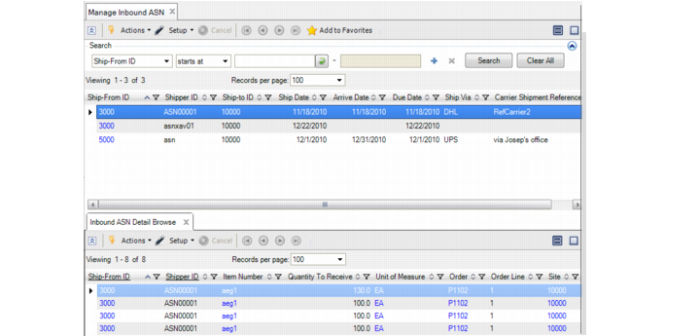
Manage Inbound ASN Browse Collection
Manage Inbound ASN browse collection shows all open ASNs as well as information about the contents of each ASN; for example, order line quantities and details of the individual pallets to receive. You can trigger the ASN receipt function directly from the browse collection.
Manage Inbound ASN Browse Collection
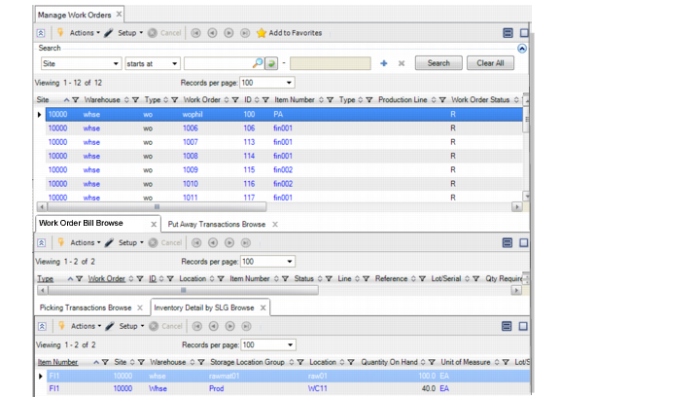
Manage Work Orders Browse Collection
Manage Work Orders browse collection helps you manage the flow of materials in a warehouse to ensure that staff can perform released production with minimal impact from unavailable inventory. You can select any work order released to the shop floor and review the different components required. Then, for each component, you can review the inventory levels as well as the picking transactions in the system. You can directly create picking transactions when the inventory is available or assign/prioritize existing transactions.
This browse collection also helps you manage the put-away transactions for each work order after production has been declared.
Manage Work Orders Browse Collection
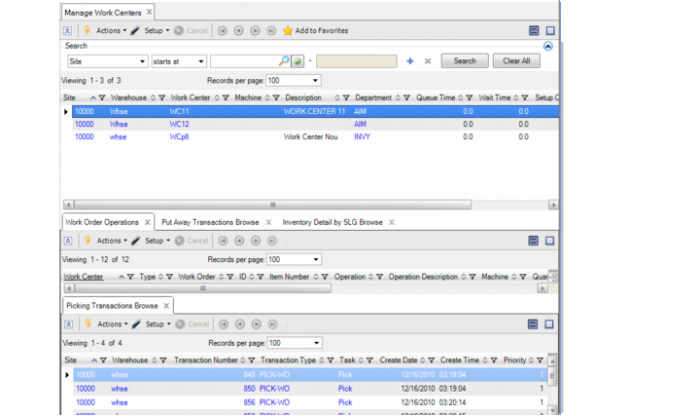
Manage Work Centers Browse Collection
Manage Work Centers browse collection helps you manage the flow of materials in all warehouse work centers. You can select any work center and review all operations belonging to released work orders that are assigned to this work center. Moreover, you can review the picking transactions linked to each operation, pending put-away transactions for the work center, and work center inventory levels.
Manage Work Centers Browse Collection