QAD 2017 Enterprise Edition
>
User Guides
>
Warehousing
>
Batch Picking
>
Viewing Batch Picking Data
Viewing Batch Picking Data
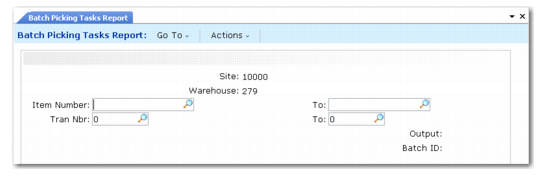
The Batch Picking Tasks Report (4.15.4.13) displays all open batch-picking tasks. Use the report to determine which tasks warehouse staff have performed and when. You specify the site and warehouse, then enter a range of item numbers or transaction numbers.
Batch Picking Tasks Report (4.15.4.13)
Site
Enter the site for the open tasks you want to report.
Warehouse
Enter the warehouse for the open tasks you want to report.
Item Number and To
Enter a range of item numbers with open tasks.
Transaction and To
Enter a range of transaction numbers with open tasks.
The system reports information from transaction history and displays the open tasks for the item or transaction.