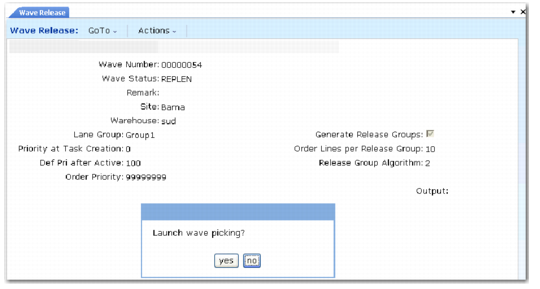
Wave Release Procedure
Wave Release (4.15.8)
Use the following procedure to release a wave.
1 Enter the open wave number you want to release; then click Next.
2 Specify the additional header information such as the lane group, order priority, release group algorithm, and so on. See
Wave Release Fields.
3 Click Next.
The system displays the following prompt:
Launch wave picking?
4 Specify Yes.
The system prompts you to print a pre-shipper.
5 Specify terminal, a file, or a printer to print results.
The system automatically creates a single or multiple release groups if you specify to do so, then displays the number of tasks it creates for the release group. It also displays the carrier, the due date, and the shipping lane to use.
Note: You can optionally manually create and activate a release group outside of Wave Release.