QAD 2017 Enterprise Edition
>
User Guides
>
Warehousing
>
Wave Planning
>
Deleting/Archiving Closed Waves
Deleting/Archiving Closed Waves
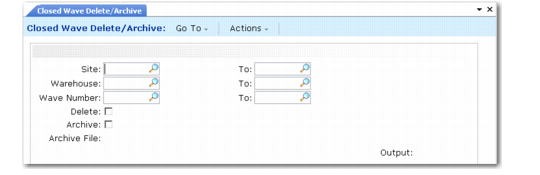
Use Closed Wave Delete/Archive (4.15.23) to permanently delete or archive wave data for waves that you closed in Wave Close (4.15.17) or Wave Close Batch/Report (4.15.18).
You can select a range of closed records by site, warehouse, or wave number. You must set both Delete and Archive to Yes to archive closed wave data. You should run this function twice. The first time, set Delete to No to review the list of closed waves to delete/archive. The second time, set Delete to Yes to delete/archive the closed waves.
Closed Wave Delete/Archive (4.15.23)