Exporting Data
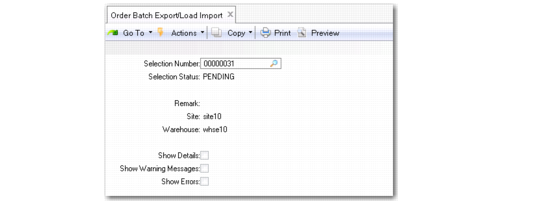
Use Order Batch Export/Load Import (4.15.2.7) to export/import data from and to a TMS. Order Batch Export/Load Import selects the batch order selection that you create in Order Batch Selection and uses local exit routines specified in Local Exit Routines Setup to create a batch shipment message to send to a TMS. It can also receive the answer from a TMS. The system exports one selection at a time.
When an order selection export starts, the system changes the status of the selection to Exporting to prevent updates in Order Batch Selection. You can view status messages about order selections being exported in Order Batch Export/Load Import.
If the export fails as a result of a communication problem or a time-out, the status of the selection is changed to Error so that the export can restart when communications are re-established. When this happens, some TMSs can send the previously calculated answer without going through a completion process again.
This program also imports a batch shipment response message from the TMS. As a result, it creates loads in the system. You can edit the system-created loads using Load Maintenance.
|
Order Batch Export/Load Import (4.15.2.7)