QAD 2017 Enterprise Edition
>
User Guides
>
Warehousing
>
TMS Interface
>
Printing Load Optimization Paperwork
Printing Load Optimization Paperwork
You can use the RF Print Paperwork (3.8) option to send and process the ship shipment message generated through the Ship Shipment local exit routine. The system sends the final contents of a given shipper, including containerization information through the ship shipment message. As a result, QAD Warehousing receives shipping labels, freight charges, and tracking and/or PRO numbers for the shipment for processing.
The system marks shippers that were successfully processed for load optimization. If you need to modify the contents of a shipper before the shipper is confirmed, you can cancel the shipment. When you do, the system restarts the process by selecting the RF Print Paperwork and producing updated documentation and shipping labels for the shipment.
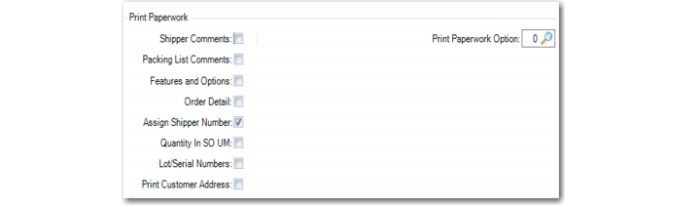
You set up print options for batch picking in the Print Paperwork frame of Batch Picking Control (4.15.24). You can set options to print shipper comments, details, addresses, and other options.
Batch Picking Control (4.15.24), Print Paperwork Frame