QAD 2017 Enterprise Edition
>
User Guides
>
Warehousing
>
TMS Interface
>
Viewing Load Optimization Data
Viewing Load Optimization Data
The TMS sends important shipment information to QAD Warehousing, including:
• Tracking Numbers: Shipment tracking numbers as well as URLs for shipment follow up on the web are sent to QAD Warehousing. Use the information to view the status of every shipment once it has left the physical warehouse.
• Cost and Charges: Shipment cost as calculated by the TMS and sent to QAD Warehousing. The ship shipment message sends a cost estimate that considers an isolated shipment. The end of data message sends final cost and considers all other shipments on the same truck of TL or LTL load type.
You can modify information received from TMS in Load Maintenance (4.15.2.17). Use the reports in Menu Transportation Menu (4.15.2) and in the Reports Menu (4.15.2.12) to view other data:
• After messages are exported and imported, the system reports the number of loads created or any errors received in Order Batch Export/Load Import (4.15.2.7).
• Use Order Batch Report (4.15.2.10) to review the status of an order batch selection. If errors display, use Transmission Log Inquiry (4.15.2.12.12) to review the integration errors. To view the loads created from a selection, use Load Shipments by Selection Rpt (4.15.2.12.4).
• Use the Shipper Charges Report (4.15.2.12.13) to analyze costs associated with shipping.
As a result of exporting a shipment through the ship shipment message to the TMS, the system receives shipment information from the TMS which includes shipper charges. The system receives a total charge to send the shipment and details on how the total charge was calculated by the TMS. The details are linked to a charge code that is set in the TMS. Charge codes can include charges for fuel, mileage, and other shipping expenses.
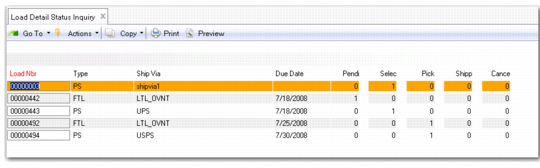
• Use Load Detail Status Inquiry (4.15.2.12.7) to view status information, including pending, selected, picked, shipped, or cancelled loads. This inquiry provides you with several views to load data. You can select from a range of criteria and see load information for picked, pending, canceled loads, and so on.
Load Detail Status Inquiry, Open Criteria
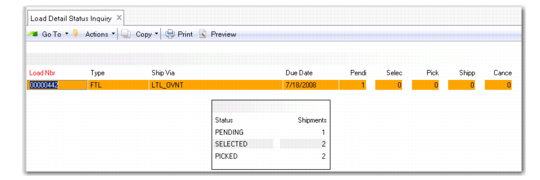
You can also view a summary of load information in Load Detail Status Inquiry. The system displays the number of pending, selected, and picked loads.
Load Detail Status Inquiry, Summary