Activating Electronic Nota Fiscal Receiving
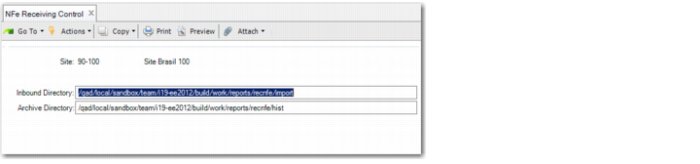
Use NFe Receiving Control (5.20.3.24) to activate the fiscal receiving flow for inbound electronic notas fiscais for a site.
When electronic nota fiscal receiving is activated for a site, you can import nota fiscal XML files issued by other companies (suppliers) in order to perform fiscal receiving.
NFe Receiving Control
Site
Specify the site at which you will receive electronic notas fiscais.
Inbound Directory
Specify the directory in which the system must store inbound electronic notas fiscais.
Files that import successfully are moved to the archive directory.
Archive Directory
Specify the path to the directory where the system stores the import history for electronic notas fiscais received at the site specified in the Site field.
Files that import successfully are moved to this directory.