Setting Up Correction Letters
Setting the Letter Text
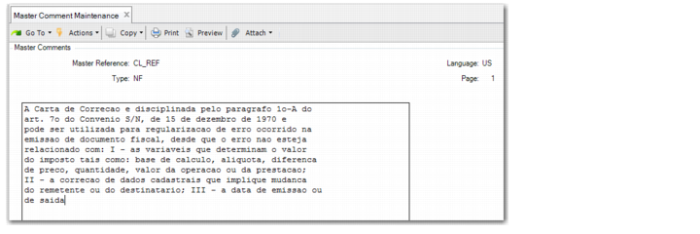
You set the default correction letter text in Master Comment Maintenance (1.12).
Master Comment Maintenance
Master Reference
Enter a reference code that identifies a master comment. CL_REF is the reference code for the nota fiscal correction letter.
The reference code, language, type, and page number combine to identify a master comment. All four must be entered to access a particular comment.
Type
Enter the type code, which is used to group similar comments. The type code for the correction letter is NF.
Language
Enter the code identifying the comment text language. The language code for the correction letter is US.
Page
Enter a page number to retrieve master comment text or to add new text to the page. Each comment can have up to 99 pages of text, identified and accessed by a page number. The page number for the correction letter is normally 1.
Comments
Specify the comment text that applies for the correction letter. You can enter up to 15 lines of text on each page of comments, and you can enter up to 99 pages of comments.
Setting the Event
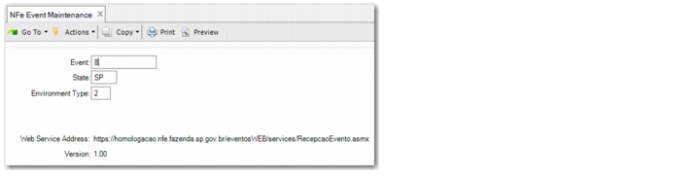
To send correction letters, you must set up an associated event type in NFe Event Type Maintenance and specify the SEFAZ Web service address. The event type for correction letters is type 8. See
Specifying the Target Web Service for more information on defining events.
NFe Event Maintenance