Matching Unprocessed Documents
Use Non Processed Documents Update (29.11.20) to process any fiscal control transactions that remain unmatched.
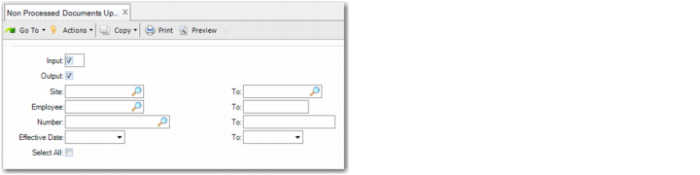
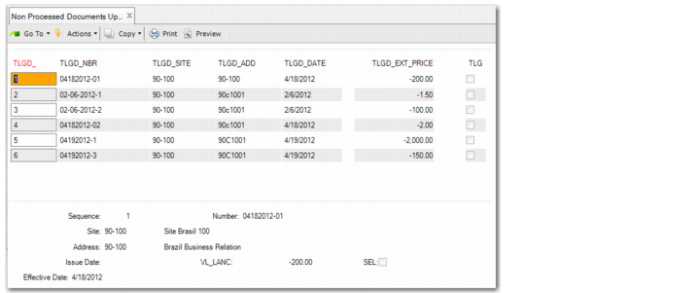
Use the search criteria in the first frame to find unprocessed transactions, and then use the Sel field in the second frame to match addition and subtraction fiscal control transactions.
After you select a transaction, the system retrieves the corresponding fiscal control account and locates the corresponding tax usage. If the tax usage relates to a subtraction operation, the system evaluates the quantity balance on the fiscal control account. If the balance of the fiscal control account is less than the quantity selected, the system displays an error message.
Non Processed Documents Update
Input
Select this field to retrieve received notas fiscais that match the selection criteria.
Output
Select this field to retrieve issued notas fiscais that match the selection criteria.
Site
Specify the site for which to retrieve unprocessed fiscal control transactions that match the selection criteria.
Employee
Specify the employee for whom to retrieve unprocessed fiscal control transactions.
Number
Specify the range of legal document numbers for which to retrieve unprocessed fiscal control transactions that match the selection criteria.
Effective Date
Specify the date range for which to retrieve unprocessed fiscal control transactions.
Select All
Select this field to select all unprocessed fiscal control transactions that meet the search criteria.
Non Processed Documents Update, Second Frame