Viewing Fiscal Control Reports
Fiscal Control Report by Effective Date
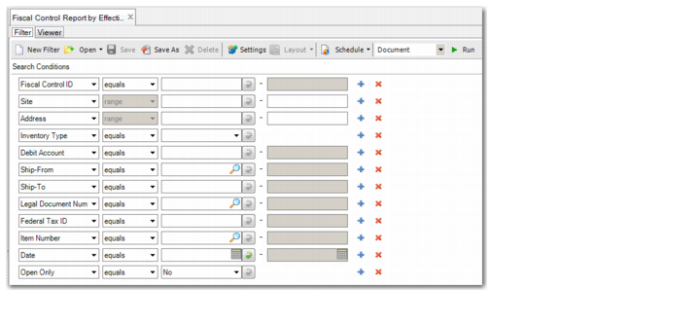
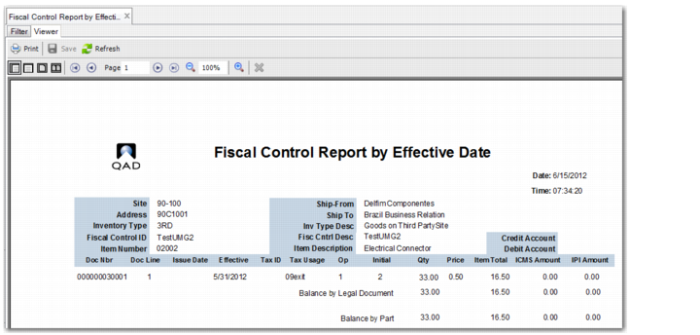
The Fiscal Control Report by Effective Date (29.11.13) lets you view fiscal control account records by site, debit account, and effective date.
Fiscal Control Report by Effective Date, Selection Criteria
The report has the following selection criteria:
Fiscal Control ID
Specify the fiscal control accounts that you want to report on.
Site
Specify the site for which you want to run the report.
Address
Specify the address for which you want to run the report.
Inventory Type
Specify the type of third-party inventory operation that you want to report on:
• 3RD: Control goods on a third-party site
• ONSITE: Control third-party goods on your premises
Debit Account
Specify the debit GL account associated with the fiscal control account.
Ship-From
Specify the ship-from codes for which you want to view associated fiscal control account records.
Ship-To
Specify the ship-to codes for which you want to view associated fiscal control account records.
Legal Document Number
Specify the legal document numbers for which you want to view fiscal control account records.
Federal Tax ID
Specify the federal tax IDs for which you want to view fiscal control account records.
Item Number
Specify the item numbers for which you want to view associated fiscal control account records.
Date
Specify the dates for which you want to run the report.
Open Only
Select Yes to run the report for fiscal control accounts with open quantities only.
Fiscal Control Report by Effective Date