QAD Solution
Set Up Declarants
Use Declarant Maintenance (29.22.1.20) to specify the company addresses responsible for Intrastat reporting to the government. This is the company address for which transactions are reported for a country and a number of entities.
Set up the business relation for the declarant before creating the company address. Address and tax details are found on the business relation, including the VAT registration number. The declarant region is taken from Declarant Maintenance.
Associate a declarant with each site (and its associated entity) using Site Maintenance (1.1.13).
The system includes several programs that format the reports for Intrastat movements. These programs create Intrastat reports for a particular declarant and control the layout of the report. iehge01.p is the program name for a declaration using the German format and layout.
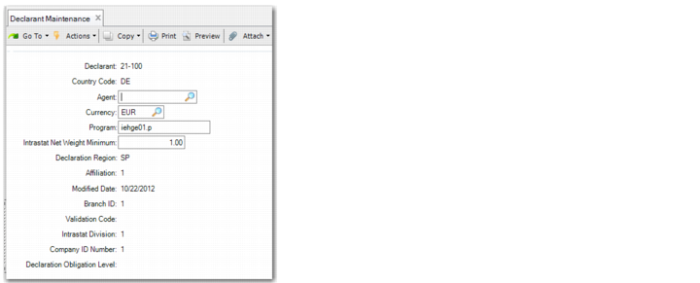
Declarant Maintenance
The following fields are used by German declarants. See QAD Intrastat User Guide for detailed information on Declarant Maintenance.
Declarant
Enter a code identifying the company address of the declarant for which transactions are reported. This address must already exist in Company Address Maintenance (2.12). Address and tax details come from the associated business relation.
Country Code
A valid, active code identifying the country for which you are declaring Intrastat. This country must be defined as a member of the European Union.
Specify DE for the German declaration.
Currency
Specify EUR for the German declaration.
Program
Enter the Intrastat report driver program used to produce reports for this Intrastat declarant. For the German declaration, the program is iehge01.p
Branch ID
Specify a maximum of five alphanumeric characters for the ID of the office to which the declaration is to be sent.
Company ID Number
Specify a maximum of 14 alphanumeric characters for the ID assigned to your company for Intrastat reporting.
Declarant Obligation Level
Specify the data required by the statistical authorities for Intrastat declarations. Examples of declaration level types include standard and simplified declaration levels.
Report Format
Use Intrastat Declaration Print (29.22.19) to make Intrastat declarations. Begin by entering the declarant and the period to be covered by this declaration. You can choose if you want to print Intrastat reports for verification first by selecting the Last Edition field. Select the Last Edition field before you print the final report. You can have additional audit information printed.
The supported output types are determined by the country-specific Intrastat driver program associated with the declarant. iehge01.p is the program name for a German declaration. The default output file name and format is also determined by the driver program.
For German declarations, the output file can be created in any of five available formats, one of which is XML. You can print more than one declaration type at the same time and each declaration will have a different file name.
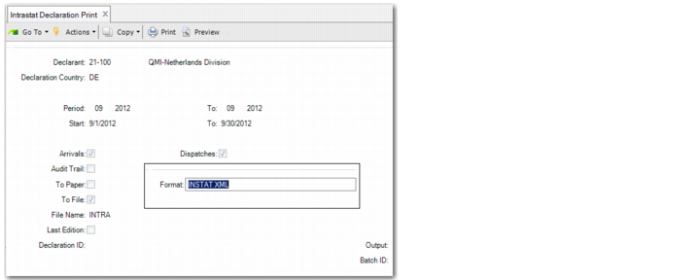
Intrastat Declaration Print, Selection Screen
The Intrastat Declaration Print report includes the following selection criteria:
Declarant
Enter the Intrastat declarant for which the report is produced. The system displays the entity and country associated with the declarant. This field defaults from the declarant specified in Intrastat Control.
Declaration Country
Enter the country code of the Intrastat declarant. For a German declaration, this is DE.
Period/To
Specify the GL period range for this report in the format from month/year to month/year. The system displays the actual start and end date for the periods.
Start/To
Specify the date range for this report.
Arrivals, Dispatches
Select the relevant field to indicate whether the report contains arrival transactions, dispatch transactions, or both.
Note: The use of these fields is based on the country of the declarant. For German declarations, both fields are set to Yes and you cannot update them.
To Paper
Select this field to print the report on paper; otherwise, enter No. Paper declarations are not used for Germany.
To File
Select this field to print the report to a file.
When you click Next to access this field, the system selects the field automatically.
Format
This popup displays after you select the File field and click Next.
The format options available for Germany are:
• INSTAT XML
• IRIS fixed column upload
• IDEV CSV direct upload
• IDES fixed column
• IDES CSV
File Name
Specify the name for the file.
Last Edition
Indicate whether this is the last edition (final version) of this report.
Clear this field if subsequent reports will be printed.
Select this field if this is the final version of the report. All transactions included in the report are designated as reported and will be excluded from the next Intrastat report.
You cannot select this field if the Audit Trail field is also selected.
Audit Trail
Indicate whether to create an audit trail.
Clear this field to print the report without an audit trail.
Select this field to print an audit trail showing additional information such as Intrastat number and references.
You cannot select this field if the Last Edition field is also selected.
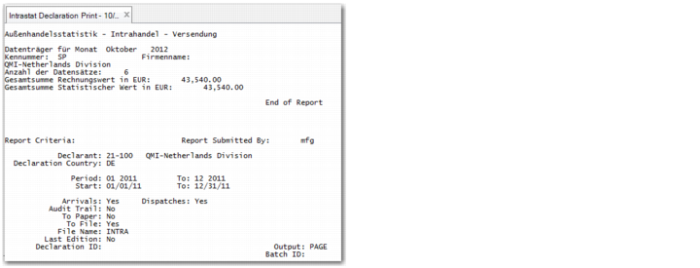
Report Output
Intrastat Declaration Print, Report
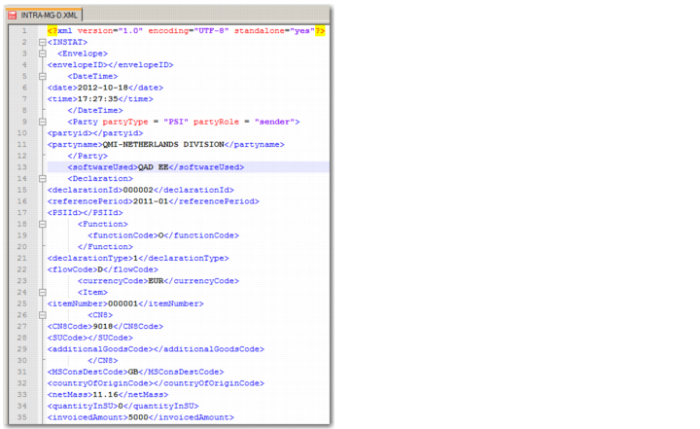
Intrastat XML File