Model 349 Statement
Business Requirement
Spanish legal requirements include the Model 349 statement, a monthly VAT statement that lists every transaction related to movements of goods within the EU (European Union), either supply of goods from Spain to another EU country or goods purchased from an EU country coming into Spain.
Two different formats for Model 349 should be provided:
• State format
• Regional format
Model 349 must be declared using the Web site of the government tax authority, and electronic media format is required to upload the records.
QAD Solution
QAD has developed the Model 349 Statement report to meet Spanish requirements.
Prerequisites
• Business relation records must include telephone numbers for the delivered Model 340 Statement. Contact person names are optional in setup records, although they are required on the report output.
• System and GTM setup must be complete.
• AR and AP invoice transactions must exist.
Generalized Codes Setup
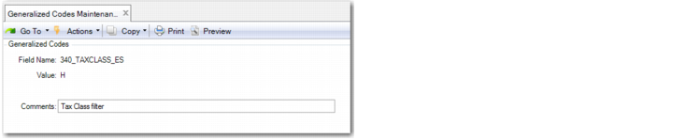
Before you can run the Model 349 Statement report, you must set up the generalized codes that the report requires.
Generalized Codes Maintenance
Generalized Codes for Model 349 Statement
Field Name | Description |
349_TAXTYPE_ES | Default values for the Tax Type report filter. |
349_TAXCLASS_ES | Default values for the Tax Class report filter. |
349_TAXUSAGE_ES | Default values for the Tax Usage report filter. |
349_OUT_DIR_ES | Default value for output directory where the Model 349 Statement is saved. |
Tax Type, Tax Box, Tax Group, and Tax Usage Setup
A number of values need to be set up for tax class, tax type, tax box, tax group, and tax usage setup. See
Report Access for more information.
Report Access
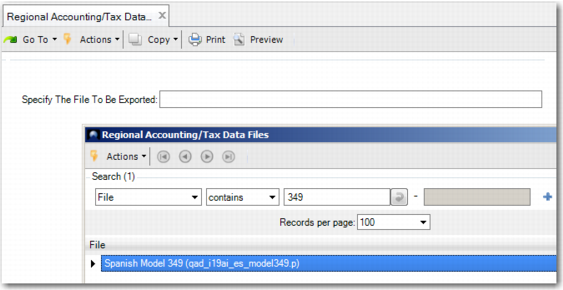
Launch Regional Accounting/Tax Data Export (36.5.3). Then select Spanish Model 349 from the look-up browse and click Next.
Regional Accounting/Tax Data Export
Report Format
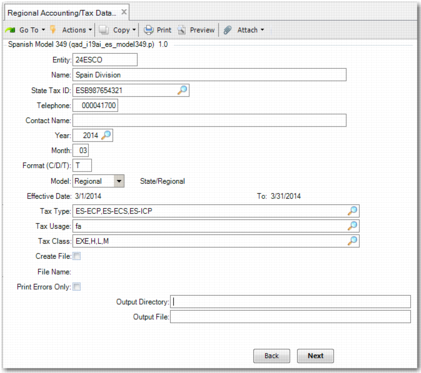
Model 349 Statement Report, Selection Screen
Most of the fields on the Model 349 Statement report screen are identical to those described for the Model 340, beginning on
here. The differences are as follows:
• The Declaration type and Last Edition fields are not included on the Model 349 Statement.
• The Format field includes an additional option. You can enter D to generate the report output to disk in a human-readable format.
• The government-specified naming convention applied when Create File is selected is different. This is determined by the value of Model:
• State: IEU.MMYY
• Regional: IEUForal.MMYY
Model 349 Statement, Output File for a Regional Report