QXtend Extensions
>
QAD QXtend Excelerator 1.4
>
Excelerator User Guide
>
Using QAD QXtend Excelerator
>
Querying Data from the Source Application
Querying Data from the Source Application
Note: The Query QAD function is disabled when the worksheet is designed to work with an EE Financials component schema. It is because the query service is not currently compatible with the EE Financials components.
1 Under the QAD Tools tab in the Ribbon, click Query QAD.
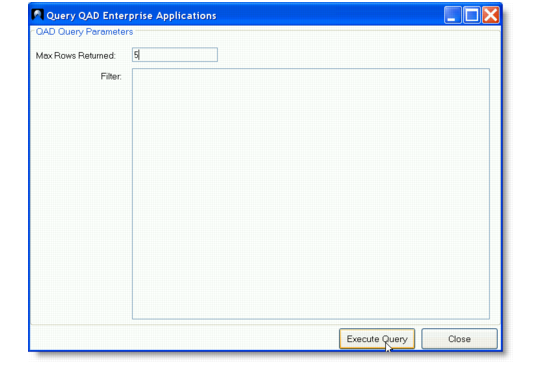
2 In the Query QAD Enterprise Applications window, define the query parameters.
Max Rows Returned
Enter the maximum number of records to retrieve into a worksheet. Enter zero (0) to retrieve all matching rows.
Filter
Enter a valid Progress query to use as filter criteria to filter records. The filter must be a valid Progress ABL WHERE clause and can only be defined against the top-level table of the QXO business object; for example:
cm_site = 'SITE1' and (cm_addr >= '0100' and cm_addr <= '100')
QAD Query Parameters
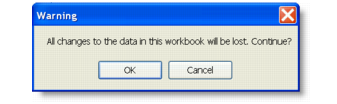
3 Click Execute Query. A warning message appears. Click OK to proceed.
QAD Query Warning
4 The query pulls records from the source QAD application into the worksheet. Save the file.