QAD QXtend 1.8.7
>
Demo Guide
>
Overview
>
Enabling Solution
Enabling Solution
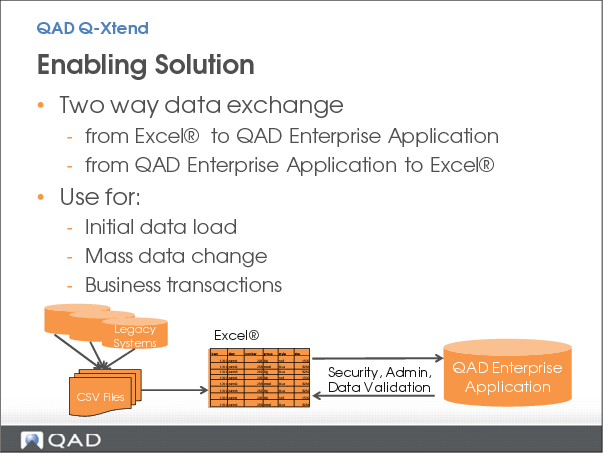
QAD Q-Xtend supports improvements to these key metrics by providing tools to take data from a pre-formatted Excel worksheet and load it into your QAD Enterprise Application, with complete error handling and messaging, without needing any custom code.
If you are just setting up your QAD Enterprise Application, you can take a CSV file with data from your legacy application and put it into Q-Xtend formatted Excel worksheet, make any necessary changes, and then load it directly into your new QAD Enterprise Application.
If you are already using QAD, you can use Q-Xtend to make mass changes or to load new data for one or more operating groups in your company. With Q-Xtend, you query the data that is in your QAD Enterprise Application and download it into a Q-Xtend formatted Excel worksheet. You can then review and modify the data, and easily upload these changes back into QAD – updating any or all domains.
You can also use QAD Q-Xtend to load business transactions – for example, sales orders, cycle count results or journal entries – secure in the fact that all updates are subject to the same security and error checking as manual data entry.
Key Points
• Load static data or business transactions directly from Excel
o No custom load routines
o Complete security & error checking
• Initial data load, mass data change, load business transactions