Default Configuration Process
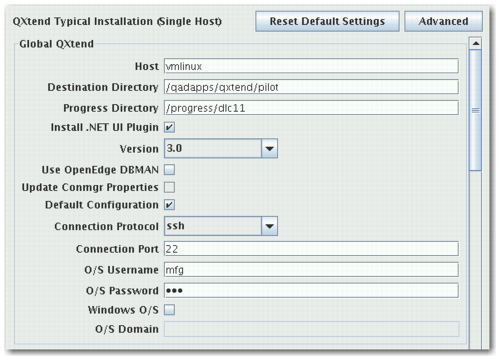
Enable Default Configuration in Typical Install
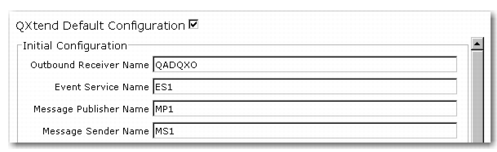
Select the check box and the extra mandatory fields display. For more control over the initial configuration, click the Advanced button. See
Parameters for a list of the parameters used in Default Configuration.
Enable Default Configuration in Advanced Install
This screen displays after configuring the modules for the installation.
The module itself is run once the QXI Servlet, QXO Database, and QXO Server are successfully installed. It can run from any host because it is a web service call. Once you enable the default configuration, it is initialized automatically by the installer, which uses ant to call the configuration service.
After the default configuration runs, use the following steps to perform a data synchronization:
1 Inbound already has the connection pools and receiver with enabled schemas ready.
2 Outbound would require the assigning of a source domain (which would be a master domain) for each subscriber.
3 Based on the scenario, you would register the required business objects to the message publisher and profiles to subscribers, activate the matching events, and start the services.